Fit to markers
Once the map has loaded, the camera fits all markers with some padding. hybridRef gives access to the native methods, onMapLoaded tells when the map is ready for them.
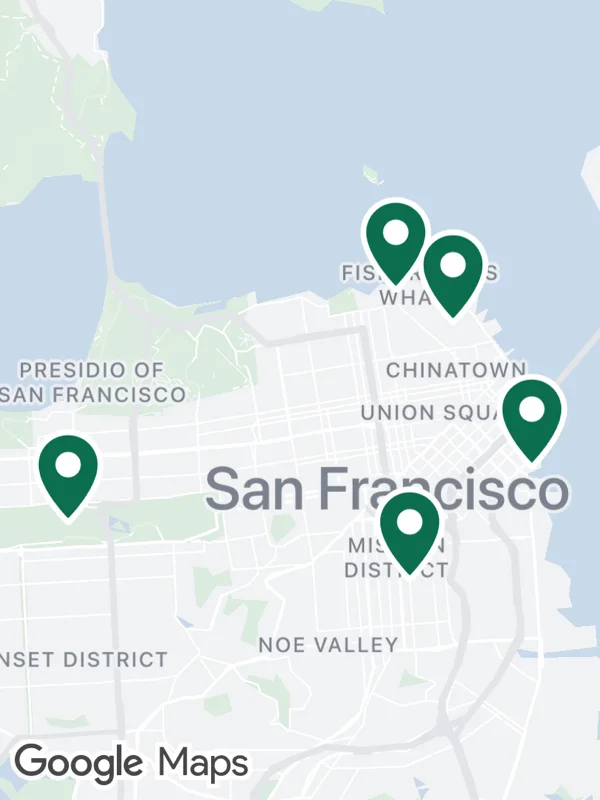
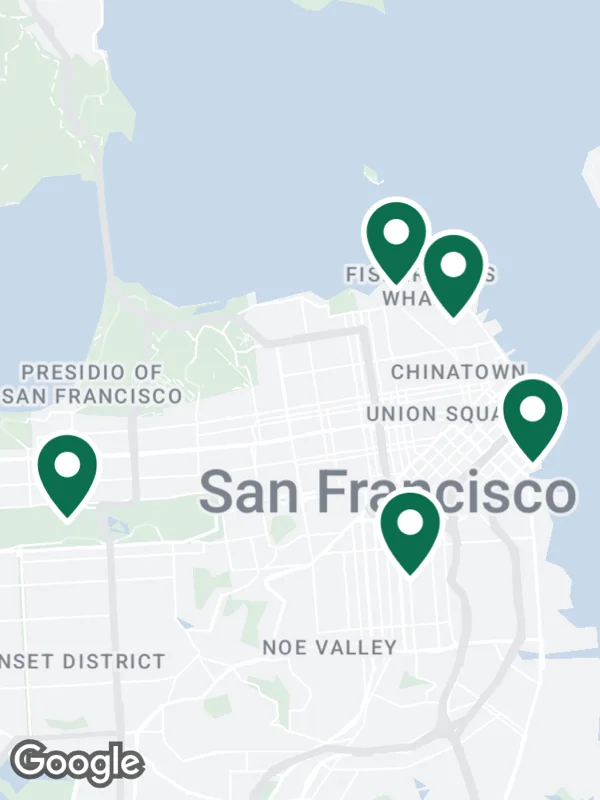
Uses hybridRef, onMapLoaded, markers.
camera.tsx
import React, { useMemo, useRef } from 'react';

import {
  GoogleMapsView,
  type GoogleMapsViewRef,
} from 'react-native-google-maps-plus';
import { callback } from 'react-native-nitro-modules';

import { GREEN, lightStyle, ll, marker, pinZ, svg } from './shared';

const places = [
  ll(37.8024, -122.4058),
  ll(37.7694, -122.4862),
  ll(37.7599, -122.4148),
  ll(37.8078, -122.4177),
  ll(37.7786, -122.3893),
];

const pin = svg(
  32,
  42,
  `<path d="M16 41 C16 41 2 27.5 2 16 a14 14 0 0 1 28 0 c0 11.5 -14 25 -14 25 Z" fill="${GREEN}" stroke="#ffffff" stroke-width="2.5"/>
   <circle cx="16" cy="16" r="5.5" fill="#ffffff"/>`
);

export default function FitToMarkers() {
  const map = useRef<GoogleMapsViewRef | null>(null);

  const hybridRef = useMemo(
    () =>
      callback((ref: GoogleMapsViewRef) => {
        map.current = ref;
      }),
    []
  );

  const onMapLoaded = useMemo(
    () =>
      callback(() => {
        map.current?.setCameraToCoordinates(
          places,
          { top: 60, left: 30, bottom: 30, right: 30 },
          true,
          800
        );
      }),
    []
  );

  return (
    <GoogleMapsView
      style={{ flex: 1 }}
      customMapStyle={lightStyle}
      mapOptions={{ camera: { center: ll(37.78, -122.43), zoom: 10 } }}
      hybridRef={hybridRef}
      onMapLoaded={onMapLoaded}
      markers={places.map((at, i) =>
        marker(`place-${i}`, at, pin, {
          anchor: { x: 0.5, y: 0.97 },
          zIndex: pinZ(at),
        })
      )}
    />
  );
}
Colors, map styles and the SVG helpers svg, marker and pill come from shared.ts. Marker text uses the Roboto fonts bundled with the example app, see fonts.