Rentals
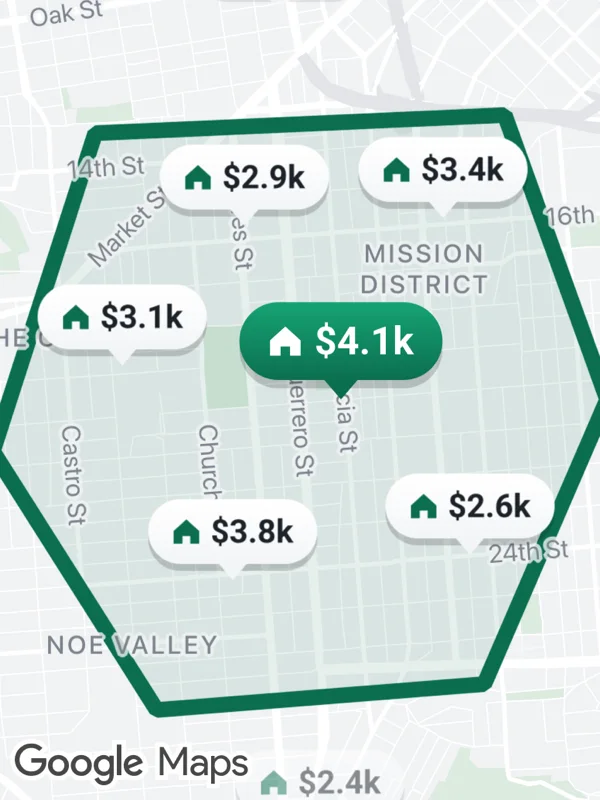
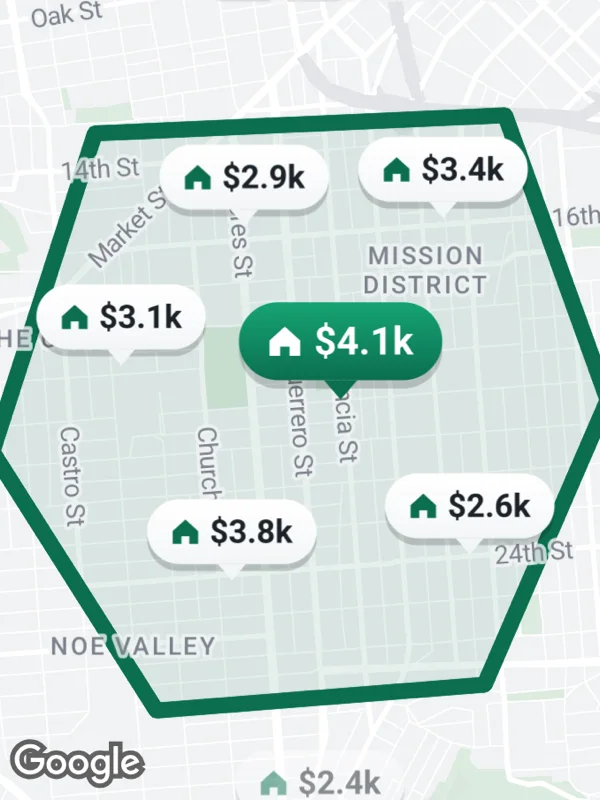
Price tags with a house icon inside a drawn search area. Listings outside the area are faded with the marker opacity, the selected one is green.
rentals.tsx
import React from 'react';

import { GoogleMapsView } from 'react-native-google-maps-plus';

import {
  BOLD,
  GREEN,
  INK,
  Z,
  lightStyle,
  ll,
  marker,
  pinZ,
  svg,
  textWidth,
} from './shared';

const searchArea = [
  ll(37.7688, -122.4335),
  ll(37.7695, -122.4135),
  ll(37.7585, -122.4085),
  ll(37.7475, -122.4145),
  ll(37.7465, -122.4305),
  ll(37.7565, -122.4385),
];

const listings: [number, number, string, 'in' | 'out' | 'selected'][] = [
  [37.7652, -122.4262, '$2.9k', 'in'],
  [37.7655, -122.4165, '$3.4k', 'in'],
  [37.7585, -122.4215, '$4.1k', 'selected'],
  [37.7598, -122.4322, '$3.1k', 'in'],
  [37.7525, -122.4152, '$2.6k', 'in'],
  [37.7515, -122.4268, '$3.8k', 'in'],
  [37.7735, -122.4245, '$4.6k', 'out'],
  [37.7418, -122.4225, '$2.4k', 'out'],
];

// A house and the price, centered in a pill with a pointer at the bottom.
function priceTag(text: string, selected: boolean) {
  const [top, bottom] = selected ? ['#16a374', GREEN] : ['#ffffff', '#f3f5f7'];
  const pad = 11;
  const x = 2 + pad;
  const w = Math.round(2 * pad + 11 + 5 + textWidth(text, 14) + 4);
  return svg(
    w,
    40,
    `<defs>
       <linearGradient id="bg" x1="0" y1="0" x2="0" y2="1">
         <stop offset="0" stop-color="${top}"/>
         <stop offset="1" stop-color="${bottom}"/>
       </linearGradient>
     </defs>
     <rect x="2" y="5" width="${w - 4}" height="28" rx="14" fill="#000000" opacity="0.18"/>
     <path d="M${w / 2 - 6} 30 L${w / 2} 37 L${w / 2 + 6} 30 Z" fill="${bottom}"/>
     <rect x="2" y="2" width="${w - 4}" height="28" rx="14" fill="url(#bg)"/>
     <path transform="translate(${x} 10.75)" d="M0 5 L5.5 0 L11 5 V10.5 H7.2 V7.2 H3.8 V10.5 H0 Z" fill="${selected ? '#ffffff' : GREEN}"/>
     <text x="${x + 16}" y="16" dominant-baseline="central" font-size="14" ${BOLD} fill="${selected ? '#ffffff' : INK}">${text}</text>`
  );
}

export default function Rentals() {
  return (
    <GoogleMapsView
      style={{ flex: 1 }}
      customMapStyle={lightStyle}
      mapOptions={{ camera: { center: ll(37.7585, -122.4235), zoom: 13.6 } }}
      polygons={[
        {
          id: 'search-area',
          coordinates: searchArea,
          fillColor: 'rgba(11, 110, 79, 0.1)',
          strokeColor: GREEN,
          strokeWidth: 7,
        },
      ]}
      markers={listings.map(([lat, lng, price, state], i) => {
        const at = ll(lat, lng);
        if (state === 'selected') {
          const icon = priceTag(price, true);
          return marker(
            `listing-${i}`,
            at,
            { ...icon, width: icon.width * 1.2, height: icon.height * 1.2 },
            { anchor: { x: 0.5, y: 0.93 }, zIndex: Z.selected }
          );
        }
        return marker(`listing-${i}`, at, priceTag(price, false), {
          anchor: { x: 0.5, y: 0.93 },
          opacity: state === 'out' ? 0.5 : 1,
          zIndex: pinZ(at),
        });
      })}
    />
  );
}
Colors, map styles and the SVG helpers svg, marker and pill come from shared.ts. Marker text uses the Roboto fonts bundled with the example app, see fonts.