Maps in a list
Small maps in a scrolling list, e.g. for search results. On Android, liteMode renders them as static images, which keeps many maps cheap. iOS has no lite mode and renders regular maps.
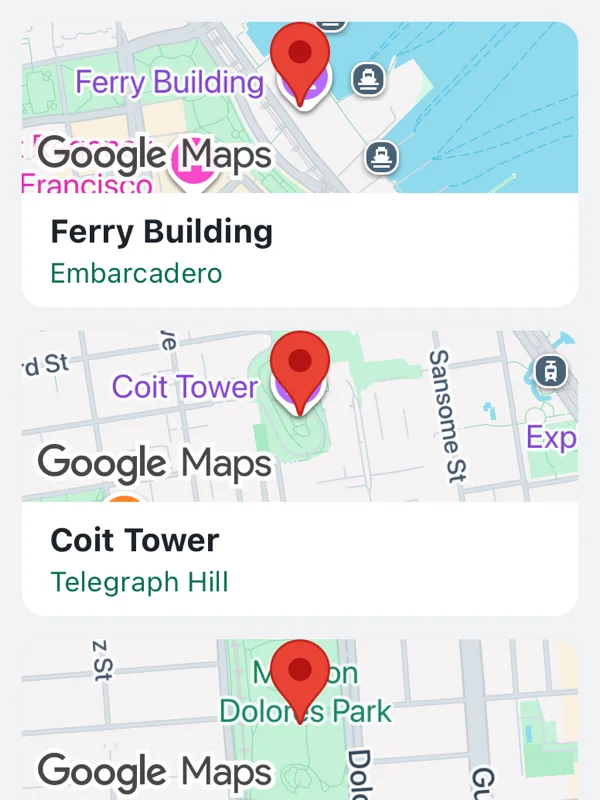
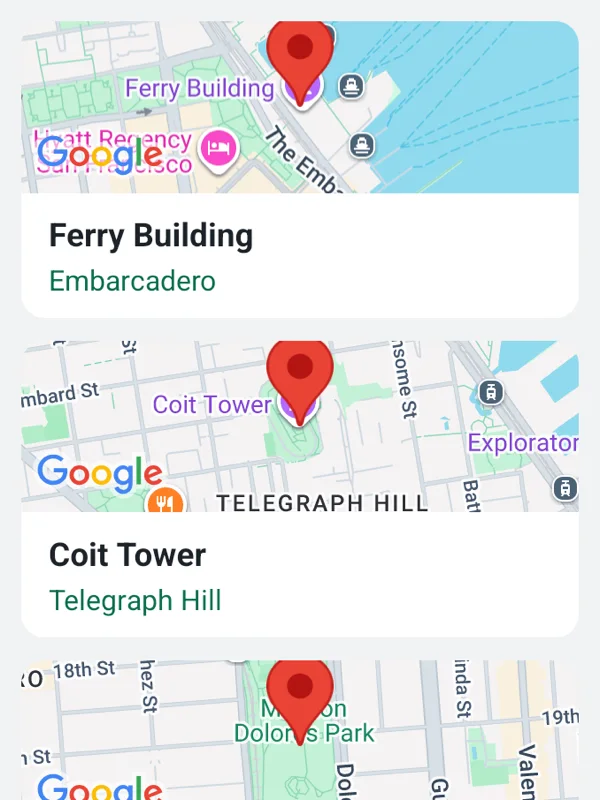
Uses mapOptions, markers.
lite-mode.tsx
import React from 'react';

import { ScrollView, StyleSheet, Text, View } from 'react-native';

import { GoogleMapsView } from 'react-native-google-maps-plus';

import { GREEN, INK, ll } from './shared';

const places = [
  { name: 'Ferry Building', area: 'Embarcadero', at: ll(37.7955, -122.3937) },
  { name: 'Coit Tower', area: 'Telegraph Hill', at: ll(37.8024, -122.4058) },
  { name: 'Dolores Park', area: 'Mission', at: ll(37.7596, -122.4269) },
];

export default function MapsInAList() {
  return (
    <ScrollView style={styles.list} contentContainerStyle={styles.content}>
      {places.map(({ name, area, at }) => (
        <View key={name} style={styles.card}>
          <GoogleMapsView
            style={styles.map}
            mapOptions={{ liteMode: true, camera: { center: at, zoom: 15 } }}
            markers={[{ id: name, coordinate: at }]}
            uiSettings={{ allGesturesEnabled: false }}
          />
          <View style={styles.text}>
            <Text style={styles.name}>{name}</Text>
            <Text style={styles.area}>{area}</Text>
          </View>
        </View>
      ))}
    </ScrollView>
  );
}

const styles = StyleSheet.create({
  list: { flex: 1, backgroundColor: '#f1f2f4' },
  content: { padding: 10, gap: 10 },
  card: {
    overflow: 'hidden',
    borderRadius: 10,
    backgroundColor: '#ffffff',
  },
  map: { height: 74 },
  text: { paddingHorizontal: 12, paddingVertical: 8 },
  name: { fontSize: 14, fontWeight: '700', color: INK },
  area: { marginTop: 2, fontSize: 12, color: GREEN },
});
Colors, map styles and the SVG helpers svg, marker and pill come from shared.ts. Marker text uses the Roboto fonts bundled with the example app, see fonts.